Share this:

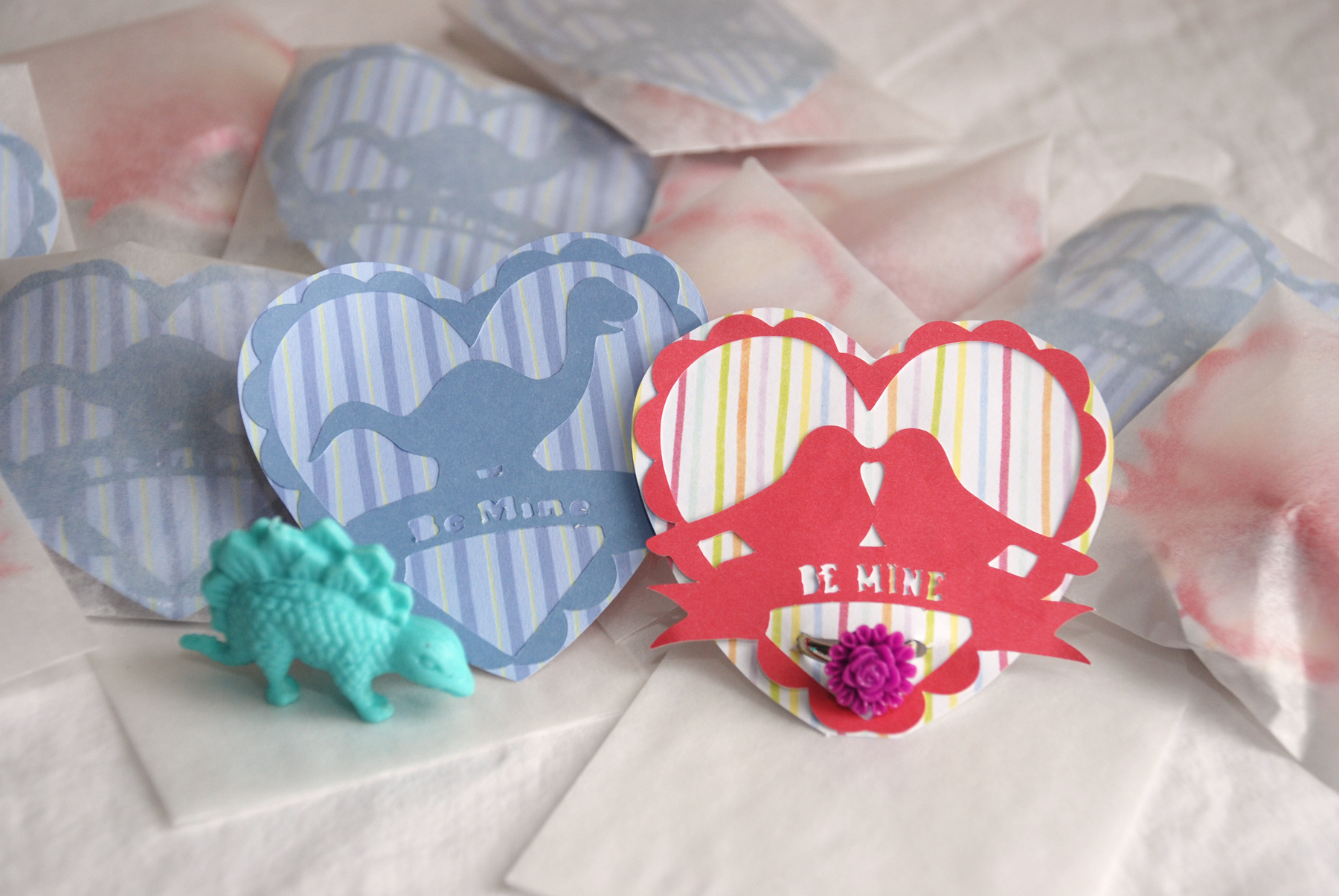
I recently received a Silhouette SD Cutter from my husband. I know, I am one lucky girl that my husband knows what type of gifts make me really happy! For Valentine’s Day I decided to design a cut-out for the kids to use on their Valentine’s cards. I came up with these cute bird and dinosaur cards.
The bird cards feature the flower cabochon rings (link here) we made and the dinosaur Valentine’s had a squishy dinosaur (from Target Valentine section) tucked inside the envelope.
How To | Dinosaur and Bird Valentine’s Day Cards
Supplies:
- Valentine Dinosaur or Bird Silhouette SD File (Download from my Store)
- Solid Color Paper
- Striped Paper
- Glue or Xyron
- Glassine Envelopes
- Sticker Seals for Envelopes
- Craft Knife (for ring placement)
How To:
- Download Valentine Dinosaur or Bird file from my store. Load the file into the Silhouette Studio Application on your computer. Follow instructions for your cutter to re-size shapes and weld together. Also, add text to the banner on the design.
- Use your Silhouette SD to cut out the Valentine Dinosaur or Bird design using solid color paper.
- Use your Silhouette SD to cut out larger heart using striped paper.
- Place adhesive onto your Valentine cut-out and adhere to larger heart cut-out. (I used my Xyron machine to add adhesive to the Valentine cut-outs.)
- Sign Valentines on the back and place in glassine envelope. Seal envelope with sticker seals.
- If you want to add the ring to your Valentine, cut a slit in the heart using a craft knife.

VERY nice.
I just got a Silhouette SD for Christmas. It sure has a learning curve. At least for me it does.
I’ll be following your blog,
Susie
These are the MOST ADORABLE Valentine’s cards! This is proof that handmade + imagination is better than anything you can buy ready-made in the store!